
Online fax receiving
Receive faxes online without a fax machine
Need somebody to fax you a form, a record or a signed document? FaxyFox gives you a fax number that receives faxes online for 30 days — no machine, no phone line, and nothing ongoing to cancel. Incoming faxes land in your account, where you can read them from any browser.
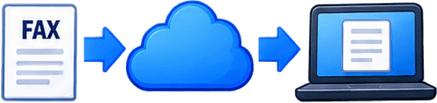
How receiving a fax online works
Almost exactly like an ordinary fax number — except the fax arrives in your account instead of printing out on a machine in the corner.
STEP 1
Get your fax number
Start a 30-day receiving number through FaxyFox.

STEP 2
Give it to the sender
Share the number with whoever is sending you the document.

STEP 3
They fax it
They dial it like any other fax number. Nothing to install on their end.
STEP 4
Read it in your account
The fax arrives in FaxyFox, and we can email you to say so.
What's included with a FaxyFox receiving number?

30 days of receiving
Your number stays active for 30 days.
100 pages included
Each 30-day period includes 100 incoming pages.
Read them in your account
Open incoming faxes in your browser. No printer, no machine, no paper.
Need more than the included amount? The extra comes out of your available FaxyFox credits.

Do I need a monthly subscription?
No. FaxyFox is built so you can take a receiving number for 30 days without signing up to anything ongoing.
If you want to carry on receiving afterwards, you can renew, and renewing gives you another 100 included pages. Automatic renewal only happens if you explicitly turn it on.
Short-term need? Fine. Ongoing need? Renew. Nothing happens on its own.
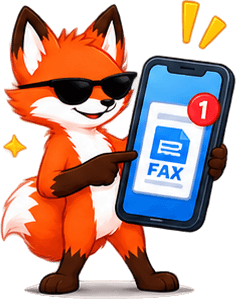
What happens when someone sends you a fax?
FaxyFox answers the call, receives the pages, and puts them in your account. You open it whenever suits you.
It appears in your fax history straight away
You can open and read the pages from your account
We can email you when a new fax arrives
Nobody has to sit next to a machine waiting for paper

The email tells you a fax has arrived and that it is waiting in your account. The pages themselves stay in FaxyFox, behind your sign-in.
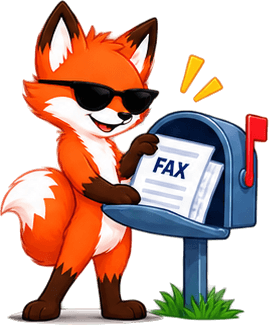
What number do I give someone so they can fax me?
Once your receiving number is active, give that number to whoever is sending the document. There is nothing else for them to do, and nothing for them to sign up to — they dial it like any other fax number.

What if I receive more than 100 pages?
Each 30-day number includes 100 incoming pages. Past that, the extra pages come out of your available FaxyFox credits.
Credits are generic: the same ones cover sending and receiving, so nothing is stranded in the wrong bucket. They come in packs of 20 for $1.99.
Included with your 30-day number
100 incoming pages
Every page after that
Comes from your credits
What happens if I run out of credits?
Nothing dramatic, and never in the middle of a document.

The fax in progress finishes
If a fax is already coming in when your pages and credits run out, FaxyFox still accepts it. Half a document is worse than no document.

Future faxes pause
After that one, new incoming faxes pause until you add credits or renew. Nothing is deleted while you decide.
Faxes you have already received stay in your account. Running out affects what arrives next, not what has already arrived.

What happens when my 30 days end?
When the period ends, your receiving number stops being active unless you renew it. People should not keep faxing a number that has lapsed, because there is nothing at the other end to answer.
If you still need to receive documents, renew before the active period runs out. And if you do let it lapse, stop handing that number out as your fax number.
Check incoming faxes from your phone or computer
Received faxes live in your account, so you can read them in a browser on a phone, a tablet or a desktop. A document can reach you without you being in the room with a machine.
Common reasons people need to receive a fax
Waiting on a signed form
An office, school or business needs to fax paperwork back to you.
You need a number briefly
One document, one deadline — not a permanent office fax line.
You own no fax machine
Receive the document online instead of buying hardware for one page.
You want it simple
Hand out one number, read whatever turns up in one place.
Receiving important documents online
Incoming faxes carry medical records, signed agreements, account details — whatever somebody decided to send you.
FaxyFox keeps them tied to your account and behind your sign-in rather than printing them onto a tray in a shared office, which is where a lot of paperwork goes astray. Read them online, when you are ready, and nobody walks past them first.
Receive fax online FAQ
Yes. The standalone 30-day number includes 100 incoming pages, but FaxyFox Unlimited removes that allowance while it is active, and includes sending and one receiving number for $8.99 a month, subject to fair use. See FaxyFox Unlimited.
No. You can get a FaxyFox fax number for 30 days without committing to a recurring plan. If you want to keep receiving after that, you can renew.
An active fax number for 30 days, plus 100 included incoming pages during that period.
Once your number is active, give it to the sender. They use it exactly like any other fax number.
In your FaxyFox account, where you can open and read them online.
Yes. FaxyFox can email you when a new fax arrives so you know to log in and read it.
The extra pages come from your available FaxyFox credits. Credits are generic — the same ones cover sending and receiving overages.
The fax already arriving is still accepted. After it finishes, future incoming faxes pause until you add credits or renew. Anything you have already received stays in your account.
Your number stops being active unless you renew it, so people should not keep faxing it after it expires.
No. That is rather the point — FaxyFox receives the fax and shows it to you online.
Yes. The same account sends faxes as well as receiving them. See how sending works.
Of course not. Faxy has important fox business to attend to. He’ll let you know when your fax arrives.
Faxy accepts it without complaining. He’s nocturnal anyway.
Ready to get your fax number?
Start a 30-day receiving number, give it to whoever is sending, and read what arrives from your account.
100 incoming pages included with each 30-day period. Anything beyond that uses your available credits.