
Fax to Canada
How to send a fax to Canada online
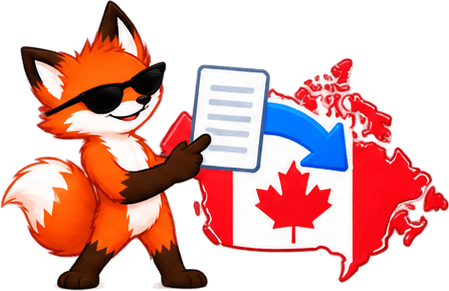
Need to fax a document to Canada? FaxyFox sends to Canadian numbers from your phone or computer. Upload your PDF or image, enter the fax number, and it goes over a real fax network — no machine at either end of your desk.
Can I send a fax to a Canadian number online?
Yes. FaxyFox sends to Canadian fax numbers exactly as it sends to American ones — there is no separate process, no international setting to find, and no surcharge.
Upload the document from a phone, tablet, laptop or desktop and send it from the browser. If the destination accepts faxes and the number is right, the fax goes.
What number format should I use?
Canada and the United States share the country code +1 and the same numbering plan, so a Canadian fax number looks like an American one: area code plus a seven-digit number.
The form is not fussy about it. Spaces, dashes and brackets are stripped, and the leading 1 is optional. All of these are the same number:
Toronto
1 416 555 1234
Vancouver
604 555 1234
Montreal
(514) 555-1234
Worth checking that the number is a fax line rather than a voice line. That is the most common reason a fax will not go through, and it is the one thing you can rule out before spending a credit.
Send from anything, send almost anything
There is nothing to install to send a basic fax, and nothing to convert before you upload it.
From your phone or computer
iPhone, Android, tablet, laptop or desktop — whatever browser you already have open.
PDFs and images
Upload the file, arrange the pages, enter the number and send.
How to fax a Canadian number with FaxyFox

STEP 1
Upload your document
Add your PDF or supported image files and arrange the pages.

STEP 2
Enter the Canadian number
Area code and number. The leading 1 is optional.
STEP 3
Send it
Submit the fax and FaxyFox carries on with it in the background.

STEP 4
Check delivery
Watch the status from your account until it lands.
Can I see whether my fax to Canada went through?
Yes. Every fax reports its progress in your account, so you are not left guessing.
Delivery usually takes a few minutes. A busy machine at the other end or a retry can stretch that out. You do not need to keep the page open while it happens — FaxyFox keeps working on it either way.

How much does it cost to fax to Canada?
The same as faxing anywhere else we send. New accounts start with 20 free faxing credits, one credit sends one page, and nothing is priced differently because the number happens to be Canadian.
After that, 20 more credits are $1.99. There is no monthly sending plan, and no card is needed to use the free ones.
Want the full explanation of the free offer? See how free online faxing works →Questions about faxing to Canada
Yes. US and Canadian destinations are both included with FaxyFox Unlimited at $8.99 a month, subject to fair use. Other countries are not included. See unlimited faxing.
No. You send it from your phone or computer through FaxyFox, and we handle the fax-network part.
Yes. The US and Canada share the same numbering plan, so a Canadian number is treated exactly like a domestic one.
Area code plus the seven-digit number. The leading 1 is optional, and spaces, dashes and brackets are all fine — they are stripped before the fax is sent.
Yes. PDFs and supported image files can be sent to any Canadian fax number. See the PDF fax guide.
Yes. FaxyFox runs in a mobile browser, so there is nothing to install. See the phone fax guide.
Yes. Credits are not priced by destination — one credit sends one page whether it is going to Ottawa or Ohio, so your 20 free credits work the same either way. See what the free pages cover.
Yes. Every fax shows its delivery status in your account, from submitted through to delivered or failed.
Once a fax reaches a final failed state, the credits it used are returned automatically. A retry in progress is not a failure — FaxyFox may still be trying.
Not yet. FaxyFox sends to the United States and Canada. A number with any other country code is refused at the form rather than accepted and then lost.
Nope. Faxy crosses the border electronically. No passport, no customs line, no tiny suitcase required.
Absolutely. When it comes to faxing Canada, Faxy knows what he’s aboot.
Ready to fax a Canadian number?
Upload your document, enter the fax number, and send it online with FaxyFox.
Fax from your phone or computer. No fax machine required.